Physicians Cancer Chemotherapy
- 4.7
- Rating
- 10.00K
- Installs
- Free
- Price
 Analysis by App-foxy
When I open a medical reference app, I want it to do one thing well: help me find dependable treatment information without making the search feel harder than it needs to be. Physicians Cancer Chemotherapy, developed by AtmosphereApps, takes that focused approach. It is a free medical app aimed at drug guidance and current treatment information for major cancers, rather than a general wellness tool or a patient diary.
My first impression is that it is most useful as a quick reference companion, especially for medical students, healthcare professionals, caregivers, and patients who want to understand the names and roles of medicines discussed during an appointment. I would not treat it as a substitute for an oncologist, pharmacist, prescribing information, or a hospital’s treatment protocol. Its value is in helping me organize questions and recognize unfamiliar terms, not in telling me what treatment I should personally take.
The app is rated for Everyone, which makes it broadly approachable from an age-classification standpoint. That should not be confused with clinical simplicity. Cancer medicines can involve serious risks, complex combinations, and decisions that depend on diagnosis, laboratory results, previous treatment, and the individual patient. The interface may be accessible, but the subject matter still demands careful reading.
You May Also Like

 Pandora - Music & Podcasts
Pandora’s Music Is Easy to Start, but Harder to Recover
Pandora’s strength is its low-effort path from a seed to a station. Its weak spot is how much confidence it asks you to place in connection, setup, and quiet recovery.

 AccuWeather: Weather Radar
AccuWeather Review: A Quick, Clear Forecast for Everyday Decisions
For everyday plans, the best forecast is the one you can understand quickly. AccuWeather makes rain timing, radar, and local conditions easy to act on, with a few trade-offs.

 Hill Climb Racing
Why Hill Climb Racing Still Turns Crashes Into One More Run
A tiny car, a bumpy hill and one more upgrade: Hill Climb Racing keeps resurfacing because its simple chaos makes every near-miss feel personal.

 AliExpress - Shopping App
AliExpress Makes Global Shopping Feel Personal, but Shoppers Bear the Risk
AliExpress turns a global marketplace into a pocket-sized discovery engine. Its reach is useful, its shopping loop compelling, and its trade-offs easy to miss.

 Lords Mobile: Kingdom Wars
Lords Mobile Is a Kingdom-Building Routine, Not a Quick Match
A case-by-case verdict on the building, battles, device demands, and social commitments that make Lords Mobile rewarding for some players and exhausting for others.

 PDF Scanner app - TapScanner
TapScanner Makes Paperwork Easier to Capture, Check, and Share
TapScanner makes scanning with a phone feel less like a rescue operation and more like a dependable step in getting work done. Its capture tools are useful, though not flawless.
More From Our News Desk
View All News


What the reference is really useful for
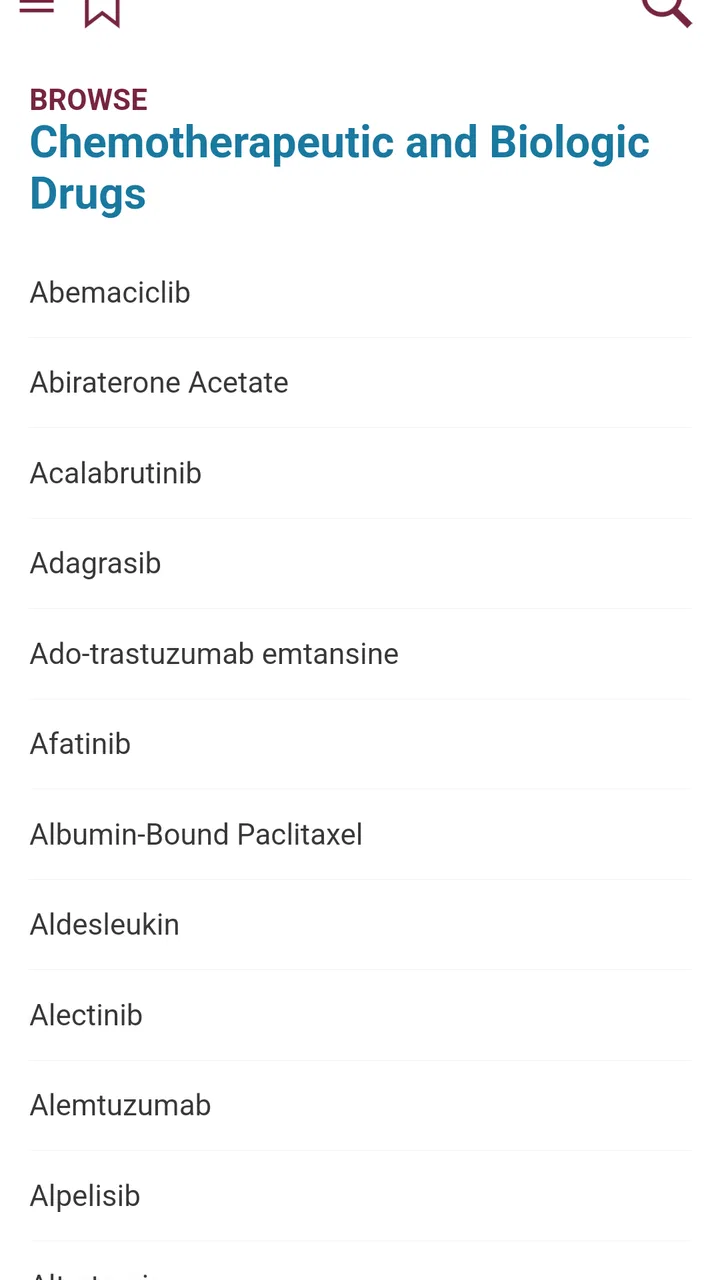
The strongest use case is the short gap between hearing a medicine mentioned and having the chance to discuss it properly with a professional. Imagine leaving an oncology appointment with several drug names written in your notes. Instead of searching each term randomly, I can use a dedicated cancer-treatment reference to build a basic map: which medicines belong to the discussion, what questions I still have, and which terms I need explained.
That workflow is more practical than browsing broad health websites. General search results often mix patient pages, advertisements, outdated articles, and unrelated uses of the same drug name. A focused guide reduces that noise. It also helps me prepare for a follow-up conversation by separating “I need to understand this medicine” from “I need medical advice.” That distinction matters.
For a student, the app can serve as a compact starting point during revision. I would use it to refresh a drug name before opening a textbook or clinical reference, then verify important points in an authoritative source. For a caregiver, it may make a medication list less intimidating. For a clinician, it could be convenient when a quick orientation is needed away from a larger reference system, although a professional would still need a source designed for formal prescribing decisions.
The app is not equally suitable for everyone. Someone looking for emotional support, appointment scheduling, symptom tracking, laboratory interpretation, or communication with a care team should choose a different type of app. This is a drug guide, not a complete cancer-management platform. Its narrow purpose is a strength when I need medication context, but a weakness when I expect a full patient-care toolkit.
Trust starts with the app’s limited promise
I find the focused description reassuring in one specific sense: the app presents itself as a guide to cancer treatment information rather than claiming to diagnose illness or replace a physician. That boundary is important. A trustworthy medical reference should help users understand information while leaving decisions to qualified professionals, and this app’s purpose fits that more cautious role.
Still, a focused purpose does not automatically prove that every entry is complete or suitable for a particular case. I would read the content as orientation material. If I were checking a dose, interaction, contraindication, preparation instruction, or treatment change, I would confirm it with a pharmacist or an official clinical reference before acting.
Its public reception is encouraging but modest in scale: the app has a 4.7 average from around 155 ratings, with about eight written reviews and over 10K installs. I read that as a sign that many users find it useful, not as proof of clinical authority. A small specialist app can be helpful, but user ratings mainly reflect usability and satisfaction; they cannot validate medical accuracy on their own.
The release history also gives the product some context. It first appeared on May 23, 2018, and the current version is 2.3.1.156. That tells me it is not a brand-new experiment, but it also makes me cautious about fast-moving treatment information. Cancer care changes over time, and an app’s version number alone cannot tell me how recently an individual medicine entry was reviewed.
What I can verify about control and access
The app is free to install, which lowers the barrier for someone who needs a quick reference without committing to a subscription. At the same time, in-app purchases are listed at $39.99 per item. I would pay close attention to what appears on the purchase screen before confirming anything, particularly if I were handing the phone to a family member or using a shared device.
This is one of the practical trust moments that is easy to overlook. “Free” can mean I can begin using the app without an upfront charge, while additional material or functions may require a purchase. I would not assume that every part of the guide is included simply because the initial download costs nothing. Checking the visible purchase description and the platform’s confirmation step is the sensible approach.
The minimum operating-system requirement is Android 8.0. For someone using an older phone, compatibility is the first issue to check. On a supported device, I would also keep the operating system and app updated through the normal platform process. That is not a guarantee of medical freshness, but it avoids relying on an abandoned local installation when a newer build is available.
One limitation is that the basic product information does not give me enough detail to judge account controls, synchronization, export options, or deletion tools. I would therefore avoid entering anything personal unless the app clearly asks for it and explains why. A drug guide should not need my diagnosis, medical record, or identifying details just for a basic lookup. If a screen requests such information, I would pause and consider whether the request is necessary.
How I would handle sensitive health information
Medical apps create a different kind of risk from ordinary reference apps because users may be tempted to type private details into search fields or notes. With this one, I would keep my use deliberately minimal. I would search for medicine names, treatment terms, or questions already written in general language rather than entering a full patient history.
For example, I might search for the name of a medicine discussed at an appointment, but I would not add a name, hospital, medical-record number, or complete diagnosis to the query. If I wanted to remember a question, I would keep it on paper or in a separate notes tool that I already trust. This creates a useful separation between reference reading and personal health records.
I would also be careful when using the app in public. Looking up a cancer medicine on a bus or in a waiting room can reveal sensitive information to anyone nearby. Screen privacy is not an app feature, but it is part of responsible use. Lowering screen brightness, avoiding screenshots that include personal notes, and closing the app after a lookup are small habits that reduce accidental exposure.
Another important moment comes when sharing information. I might show a medicine entry to a family member, but I would not forward a screenshot as if it were a treatment instruction. Context can disappear quickly when an image is separated from the rest of the reference. I would add a clear note that the information is for discussion with the care team, especially if the entry mentions effects or precautions.
Because treatment information is sensitive and potentially consequential, I would look at the app’s permission prompts and privacy notices during installation and first use. I would grant only what is clearly needed for the function I want. If the app asks for access that seems unrelated to a drug lookup, I would decline it or stop and investigate before continuing. I cannot treat a permission prompt as harmless simply because the app is medical.
Keeping control of the reading process
The best way to use this app is to make it part of a question-building routine. Before opening it, I would write down the exact medicine name, including the spelling from the prescription or appointment notes. Then I would read the relevant entry and record only the points I need clarified: purpose, common terminology, warnings, or how the medicine fits into the discussion.
This method prevents a common mistake: turning a reference search into self-diagnosis. If I see a side effect listed, I should not decide on my own that every symptom is caused by the medicine, nor should I stop treatment because an entry sounds alarming. I would use the information to ask a focused question such as, “Could this symptom be related, and what should I do if it continues?”
I would also compare the app’s wording with the documents supplied by my treatment team. If the app and a prescription leaflet appear different, I would not try to decide which one wins. The pharmacist or oncology team can explain whether the difference comes from dose, formulation, local guidance, or the patient’s specific plan.
For caregivers, I recommend creating a simple two-column note outside the app: “what I read” and “what to ask.” That keeps the reference from becoming an unofficial medical record while making appointments more productive. It also helps when several medicines have similar names. A careful spelling check is worthwhile, since a small naming error can lead to a completely different result.
Students can use a similar technique, but with an added verification step. After reading an entry, I would consult a recognized textbook, institutional guideline, or official medicine document before using the information in coursework or clinical training. The app is convenient for orientation; it should not be the only source behind a high-stakes conclusion.
Where it fits beside other medical references
Compared with a general web search, Physicians Cancer Chemotherapy has the advantage of a narrower subject area. I do not have to sift through pages about unrelated conditions before reaching cancer-drug information. That focus makes it more comfortable for quick terminology checks and appointment preparation.
Compared with a hospital portal or patient-support app, it is more limited. A portal can connect information to a person’s actual care plan, while this guide is a separate reference. That separation is safer for avoiding accidental treatment changes, but it also means I must do more work to connect what I read with my own situation.
Compared with a professional clinical database, the app is likely to feel lighter and easier to approach, especially for a reader who is not trained in medicine. The trade-off is that professionals may need deeper coverage, formal citations, interaction checking, dosing tools, or regularly documented updates. If those functions are essential, I would choose a specialist clinical resource instead of relying on this app alone.
Compared with printed leaflets, the app is more convenient when I need to look up several medicine names in succession. Printed information remains valuable because it is supplied for a specific medicine and treatment context. I would keep both roles clear: the app helps me orient myself, while official patient information and the care team guide decisions.
Small habits that make the app safer to use
Start with the exact generic or brand name from a prescription, appointment note, or medicine package, and check the spelling before drawing conclusions.
Use the app to prepare questions, not to alter a dose, skip a treatment, or combine medicines without professional approval.
Keep personal identifiers out of searches and notes unless the app clearly explains a necessary reason for collecting them.
Before paying for any optional item, read the purchase screen carefully and confirm what is included.
When information affects an immediate decision, verify it with an oncologist or pharmacist rather than relying on a single mobile reference.
These steps may sound basic, but they address the main trade-off I see here. The app can make complex information easier to reach, yet easier access can also encourage overconfidence. I get the most value when I treat it as a conversation aid rather than an authority that speaks for my care team.
Who should install it, and who should pass
I would recommend trying it if you want a dedicated cancer-drug reference, prefer a focused tool to a crowded search engine, and are comfortable checking important details elsewhere. It may be especially useful for building a vocabulary before an appointment or reviewing a medicine name after a consultation.
I would skip it if you need personalized treatment recommendations, emergency guidance, symptom triage, prescription management, or direct contact with clinicians. I would also avoid depending on it as the sole source for professional practice. The free entry point is appealing, but the listed optional purchase price means I would inspect the available content before deciding whether it meets my needs.
My cautious verdict is that Physicians Cancer Chemotherapy is a practical starting point for cancer-treatment drug information, with a clear enough purpose to be useful when I need orientation quickly. Its strongest quality is focus. Its main weakness is the gap between general reference material and the highly individual decisions involved in oncology.
I would keep it on a supported Android device as a supplementary reference, use the minimum personal information possible, review any permission or purchase choice carefully, and confirm consequential details with a qualified professional. Used that way, it can help turn unfamiliar medicine names into better questions. It is most trustworthy as a tool for understanding and preparing, not as a tool for deciding treatment.
FAQs for Physicians Cancer Chemotherapy
01What is Physicians Cancer Chemotherapy?
Physicians Cancer Chemotherapy is a professional medical reference resource designed to support clinicians involved in cancer treatment. It provides chemotherapy-related information, including drug regimens, treatment protocols, dosing guidance, precautions, and disease-specific references. It is intended for qualified healthcare professionals and should be used alongside current clinical guidelines, institutional policies, and specialist judgment rather than as a replacement for formal medical training or consultation.
02Who should use the Physicians Cancer Chemotherapy app?
The app is primarily intended for oncologists, hematologists, pharmacists, oncology nurses, medical students, and other healthcare professionals who need quick access to chemotherapy information. Because cancer treatment is complex and patient-specific, general users should not rely on the app to choose medicines or interpret a treatment plan. Patients and caregivers should discuss any information found in the app with the treating oncology team.
03Can this app be used to calculate chemotherapy doses or prescribe treatment?
The application may include dosing references, regimen details, or calculation-related information, but it should not be treated as an independent prescribing tool. Chemotherapy doses depend on factors such as diagnosis, body measurements, organ function, laboratory results, previous treatment, allergies, and local protocols. Every dose and regimen must be verified by an appropriately qualified professional before administration, with particular attention to updates and institutional safety procedures.
04Is the information in Physicians Cancer Chemotherapy always up to date?
Medical oncology changes rapidly, and no digital reference should automatically be assumed to contain the latest evidence or approved indications. Before using any recommendation, check the app’s publication date, update history, cited sources, and version information. Confirm important details against current national guidelines, official drug labeling, institutional protocols, and specialist advice, especially when dealing with newly approved medicines, rare cancers, pediatric patients, or unusual clinical circumstances.
05What should I check before downloading and using the app?
Before downloading Physicians Cancer Chemotherapy, review its developer information, privacy policy, required permissions, subscription or purchase terms, supported Android or iOS version, and whether the content is available offline. Also confirm whether the app is intended for your country and professional role, since drug approvals and protocols vary by region. Do not enter identifiable patient information unless the app clearly provides appropriate security and compliance safeguards.
Pros
- Provides a concise reference for common cancer chemotherapy medicines.
- Useful for reviewing drug names
- classes
- and treatment-related information.
- Can support quick lookups during study or clinical preparation.
- Covers terminology that may help patients understand oncology discussions.
- Helpful as a supplementary educational tool for healthcare students.
Cons
- It is not a substitute for advice from an oncologist or pharmacist.
- Drug information may require updates as treatment guidelines change.
- Some medical terms can be difficult for patients without healthcare training.
- Does not provide personalized chemotherapy plans or dosage recommendations.
- Information should be verified against official clinical and prescribing sources.

Physicians Cancer Chemotherapy
Gallery